About this game
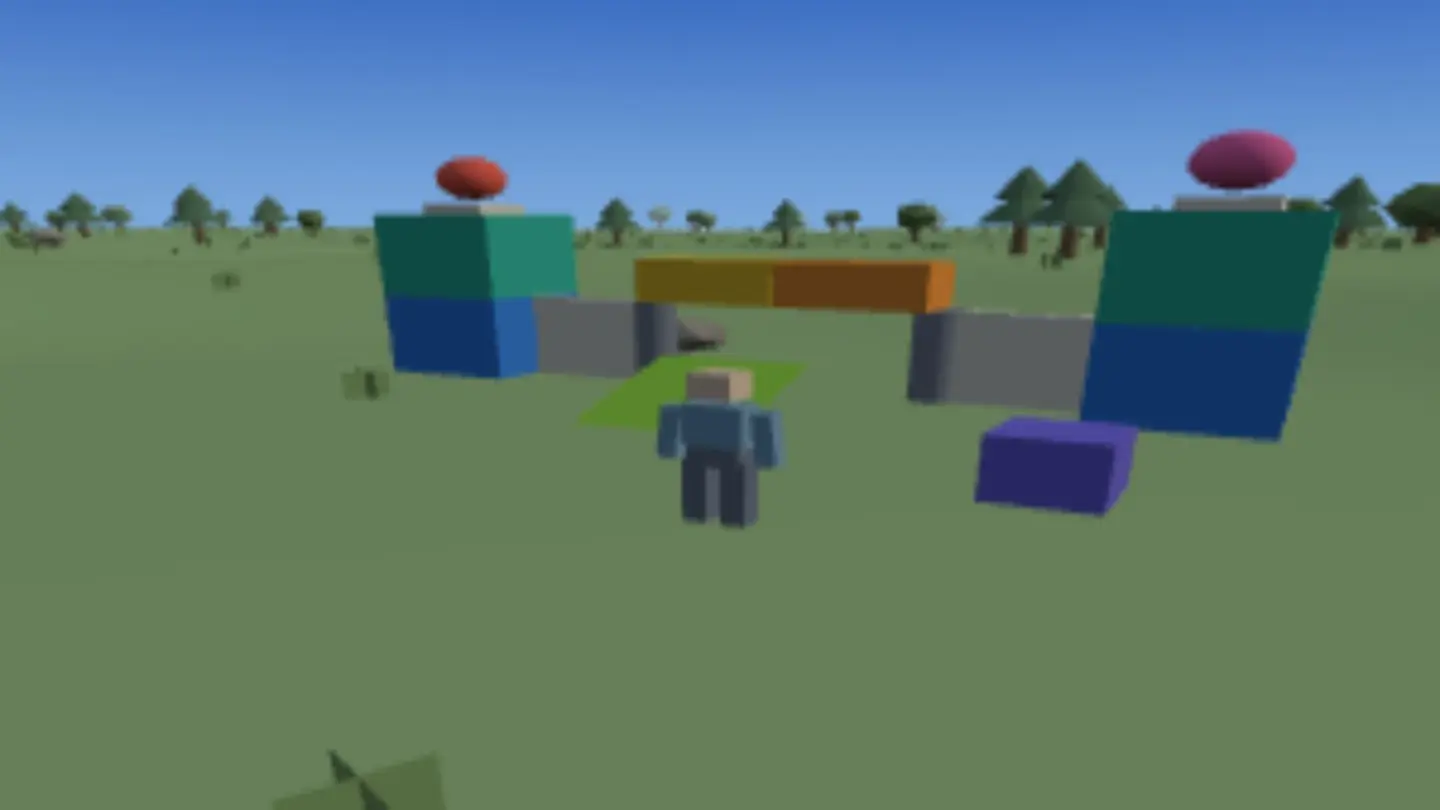
Stackpark is a building game where nothing can go wrong. You're a small character on a sunny island with a box of oversized toy parts that never runs out: cubes, bricks, blocks, plates, walls, pillars, ramps, orbs and caps, in twelve bright colours. Aim, click, and the part lands exactly where the preview said it would. There's nothing to collect, no budget, no timer and no way to lose. The whole game is whatever you decide to make.
Parts snap to a grid, and that's what makes it work. Your stacks line up whether you were careful or not. A wall you throw up in ten seconds is straight. A tower is a tower and not a lean. Parts turn in eighth-turns, so ramps meet ramps properly and a diagonal is a real diagonal. The grid handles the fiddly part, so what's left for you is the shape — the arch you weren't sure would hold, the staircase up the side of a tower, the pier out into the water that only exists because you had orbs left over.
Everything you build saves in this browser, one island at a time, and the title screen keeps every island you've built on. When something is worth showing off, press P. You get a picture and a link, and the link carries the whole build, part by part. Whoever opens it stands in front of the same thing and can add to it. Building on someone else's is the point of sending it.
How to play
- Start building. Pick the Showcase Island or a new one. Clicking the park hands the mouse to the game so moving it looks around. Esc gives it back and opens the menu.
- Pick a part and place it. Number keys 1–9 choose the part, the ghost shows where it will land, and a click puts it there. R turns it before you commit.
- Colour it. C flips through the twelve colours for the next part, and F repaints one already down without moving it. That's how a build gets its stripe, its roofline or its one red door.
- Fix mistakes freely. X removes whatever you're pointing at. Nothing costs anything, so there's no reason not to try the version you're unsure about.
- Walk around it. WASD moves, Shift runs and Space jumps. A build you can climb looks completely different from one you only ever saw from where you built it.
Controls
| Input | What it does |
|---|---|
| Drag the screen, or the mouse | look around |
| WASD, or the arrow buttons | walk and step sideways |
| Space, or the Jump button | jump |
| Click, or the Place button | put the part down |
| X, or the Remove button | take away the part you're looking at |
| 1–9, or tap a shape on the shelf | pick a part |
| Q / E, or the colour dot | pick a colour |
| R, or Turn | spin the part an eighth of a turn |
| F, or Paint | colour the part you're looking at |
| Shift | run |
| P, or the menu | build card |
| Esc, or the pause button | menu |
| Fullscreen | hides the browser so the game has the whole screen. Press it again to bring the browser back |
Tips for a better build
- Rough it out first, add detail later. Big parts get the shape right in about a minute. Cubes and caps are for the last pass, once you know the shape is worth it.
- Plates are floors, caps are trim. A thin plate is a floor you can walk on without changing anything's height, and a row of caps along the top of a wall is the cheapest way to make a build look finished.
- Two colours, then one more. A colour for the body and a colour for the roof hold a build together. One bright extra — a door, a flag, an orb on top — is what makes it look designed instead of just decorated.
- Ramps are stairs and roofs. Two ramps back to back make a pointed roof. One against a wall is a way up. It's the most useful part in the box and the one everybody forgets.
- Build for the walk-up. Stand where a visitor arrives — where your link drops them — and make sure the best view is the one from there.
- Send the link, then build on theirs. A link is a starting point as much as a showcase. The best parks on this island are the ones two people made.
Good to know
- Nothing to buy and nothing to unlock. No sign-up, no chat, and no way for players to contact each other — the only thing you can send is a link to a build.
- You'll need a computer with a mouse and keyboard. Looking around uses a feature no phone or tablet browser has.
- Your islands and everything on them save in this browser. A build link carries the parts themselves, so it works for someone who has never opened the game before.
- It all runs in this tab. No download, no install, nothing to plug in.
Want the short version? The free building game guide covers it in a couple of minutes.