About this game
Tuckbay is about backing a car into a parking bay. The hard part is not the parking. It is what you can and cannot see while you do it.
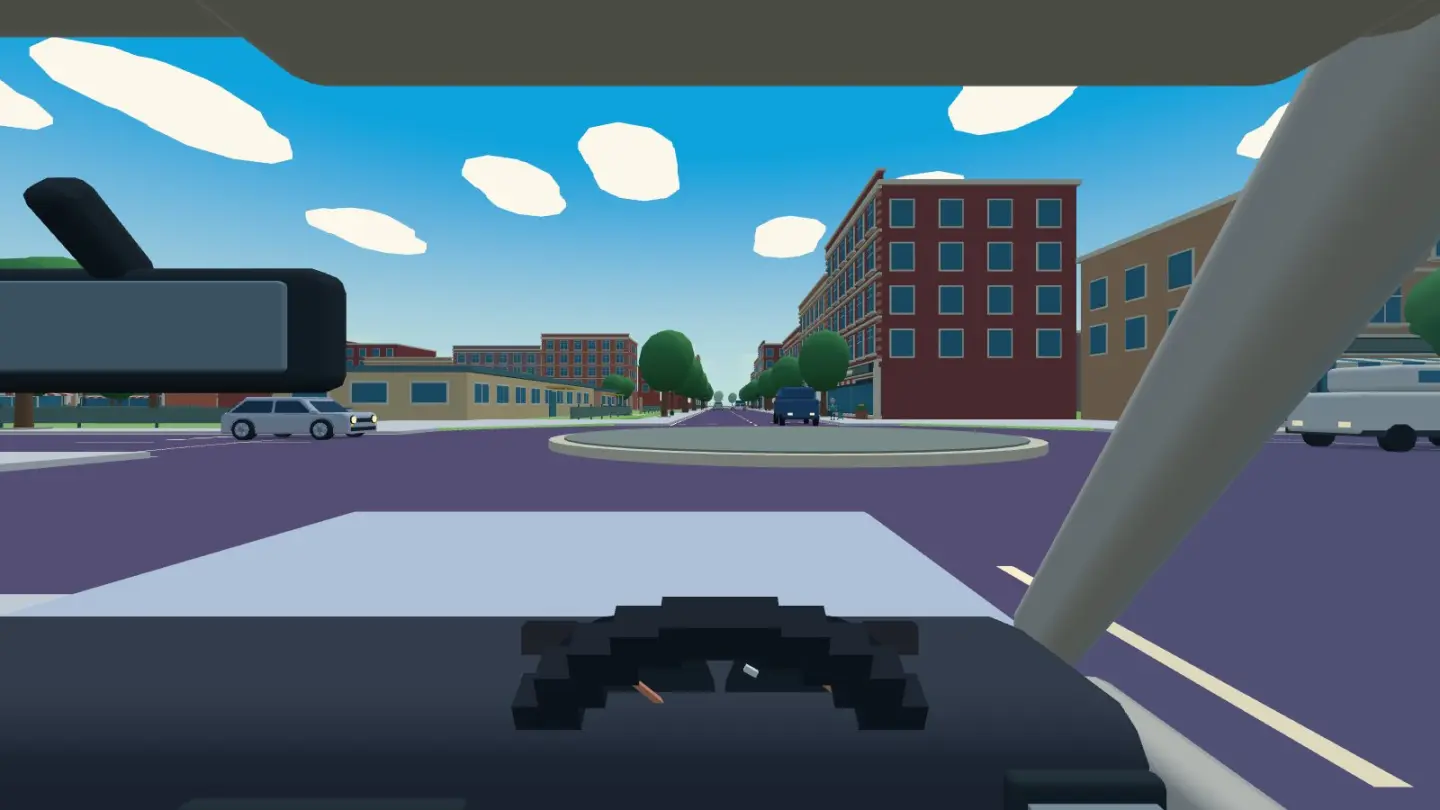
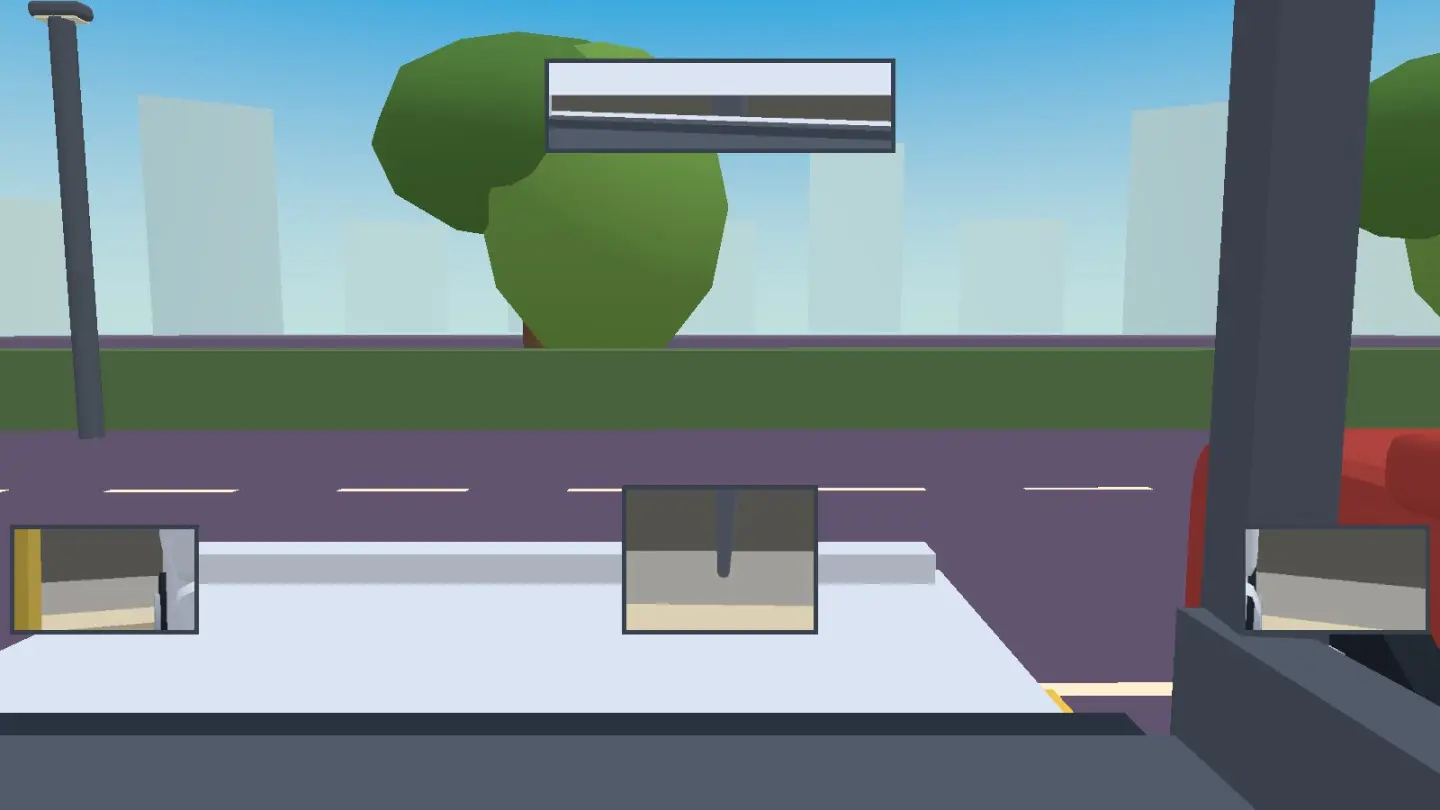
You are in the driver's seat, and you cannot turn your head. What you get is three mirrors: one above the windscreen and one on each door. They are real mirrors. Each one shows what a mirror in that spot would really show, worked out from where your eyes are and where the glass is pointing. Nothing in them is faked or drawn on.
That changes the job completely. The mirror on the side the bay is on does nearly all of the work, because it is the one looking down the side of your car at the line you are aiming for. The rear-view mirror shows you what is behind — but not what is just behind, because the bottom of the rear window is in the way. That is not us being mean. It is what a real rear-view mirror does, and it is why people fit reversing cameras.
So this car has one. There is a small screen on the dash, and it shows two things. Pick reverse and the camera comes on: a wide view from the back of the car, looking down at the ground right behind you. Tap the screen and you get the all-round view instead — your car from above, so you can watch both sides at once.
Everyone in the world gets the same car park each day. It changes at midnight, and it moves between three cities. In Tokyo you back into a tight bay until your back wheels touch the wheel stop. In New York and Amsterdam you park along the kerb between two parked cars, and in Amsterdam the kerb is the edge of a canal. There is always a badly parked car to get past. Practice lets you pick the city.
How to play
- Drive past the yellow bay. The one you want has yellow lines and a sign standing behind the kerb. Go past it — further than feels right. About one and a half bays past is where you want to stop.
- Wind the wheel all the way toward the bay. Drag the wheel and it stays where you put it, like a real one. You may need two goes at it, which is also like a real one. Nothing happens yet, because a car cannot turn unless it is moving.
- Reverse, slowly, and watch the mirror on the bay's side. The white line along the front of the bays will slide under your mirror. The back of your car swings round into the bay while the front swings out into the aisle, so keep an eye on the other mirror too.
- Use the screen for the last bit. The camera comes on the moment you pick reverse. Two blue lines show where your back corners are going, and they bend as you turn the wheel. The red, orange and green bars are 30 cm, 1 m and 2 m behind your bumper.
- Straighten up when the bay looks square behind you. Tap the wheel to snap it straight, then keep reversing until the whole car is inside the lines.
- Press "Park it". The button only appears once every corner of the car is inside the bay and you have stopped. Then you get your three numbers.
If it goes wrong, drive forward and try again. That is a shunt, and it is counted, but nothing else happens. There is no clock and there is nothing you can do that ends the game.
Controls
| Input | What it does |
|---|---|
| Drag the wheel | steer — and it stays where you leave it, like a real one |
| Tap the wheel | straighten up |
| Hold Forward | creep forward — let go and it stops |
| Hold Reverse | creep backwards (from a stop) — and the camera comes on |
| Tap the screen | swap between the camera and the all-round view |
| Park it | appears once the whole car is inside the bay |
| A / D or ← → | steer with a keyboard instead |
| W / S or ↑ ↓ | forward · reverse |
| Space | straighten the wheel |
| Fullscreen | hides the browser so the game has the whole screen. Press it again to bring the browser back |
Tips for a cleaner park
- Go further past the bay than you think. This is the whole thing. Nearly every bad park starts too early. Your back wheels draw a circle three and a half metres across, so if you start turning before you are that far past the middle of the bay, you cannot get in without going forward again.
- Go slowly. The car steers through speed, not instead of it. Creeping gives you time to look at a mirror, and looking at a mirror is the game.
- Watch the line, not the bay. The white line running along the front of all the bays is the thing to measure against. When it passes under your door mirror, you are level with the row.
- Your front swings out. While the back of the car goes into the bay, the front sweeps the other way across the aisle. That is what the other door mirror is for.
- Straighten early. A car that is nearly straight and still moving will keep drifting. Snap the wheel straight a moment before you think you should.
- The camera cannot do the swing for you. It only looks at the ground right behind the car. Lining the car up is the mirror's job. The camera is for the last metre, and for the bit nothing else can show you.
- Practise first. Practice gives you a fresh car park as often as you like and never touches today's result. Learn the turning circle there, then go and spend your one go.
What the three numbers mean
Shunts is how many times you had to go forward again after you started reversing. None is "in one go". Driving up the aisle at the start does not count — that is getting into position, not a mistake.
How straight is how many degrees off the bay's own line you finished. How centred is how far the middle of your car is from the middle of the bay, in centimetres. Being pushed off-centre by the badly parked car counts, because it counts in a car park too.
Touching the kerb or another car is written down and shown at the end, and that is all that happens. You keep driving. There is no reset and there is nothing you can get stuck in — if you stop against something, the other direction is always free.
Good to know
- Each city has its own country's rules. In Tokyo you drive on the left and sit on the right. In New York and Amsterdam you drive on the right and sit on the left. Either way the space is over your right shoulder, so the right-hand mirror does most of the work.
- One go a day on today's car park, because everybody is driving the same one and that is what makes the numbers worth comparing. Practice has no limit.
- Nothing to buy, nothing to unlock, no coins, no lives and no sign-up. No chat, and no way for players to contact each other.
- Your result is kept in this browser and is not sent anywhere, so a different device starts you fresh.
- It plays with two thumbs on a phone or with a keyboard on a computer. Nothing needs a mouse, and there is nothing to aim at.
- This is a game, not a driving lesson. It teaches you what the mirrors are for and where the car goes. It cannot teach you to check for people walking behind you, which in a real car park is the thing that actually matters.
Want the same driver's seat out on the road? Try Wheelabout, which is roundabouts, traffic lights and the turn across traffic. Or Swivelhead, which is the same streets on foot.